
Read every beat.
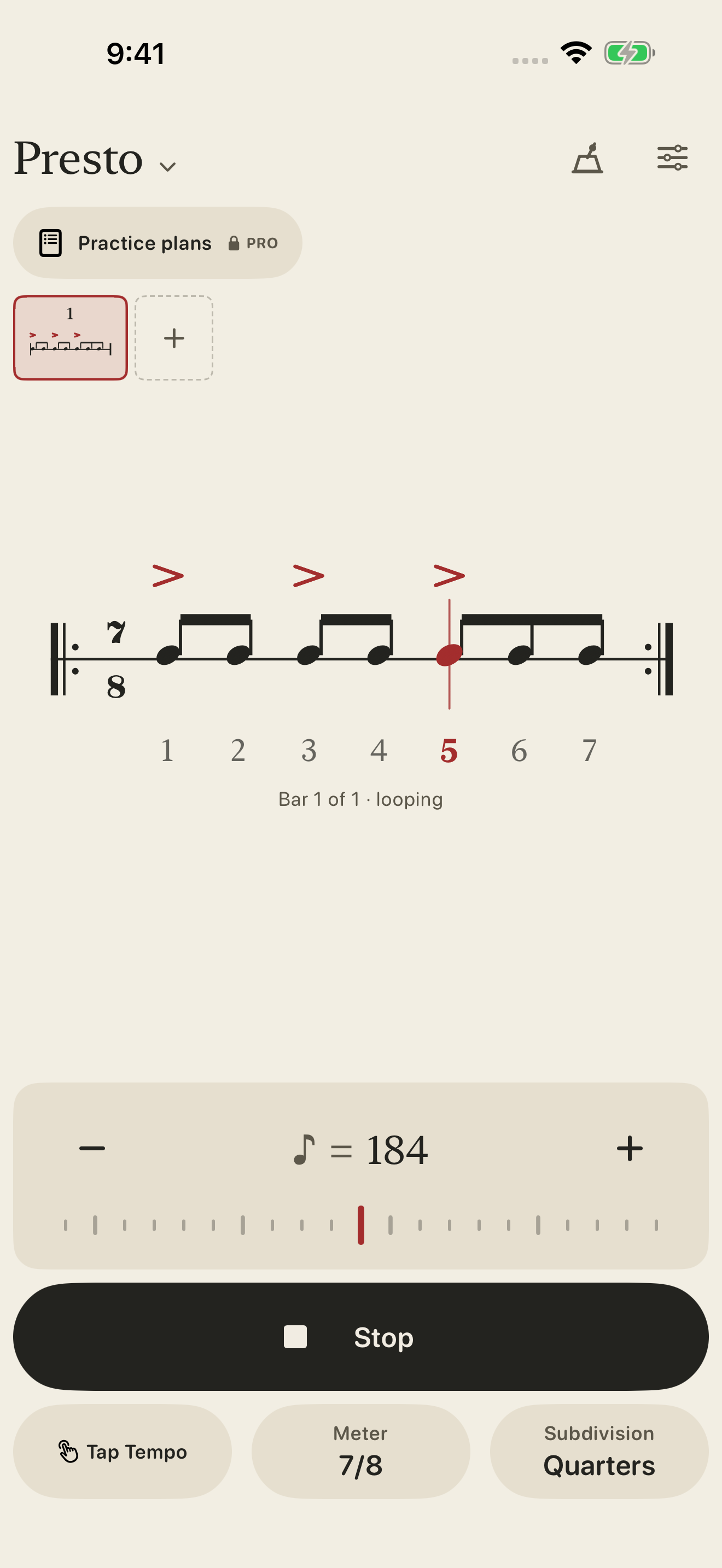
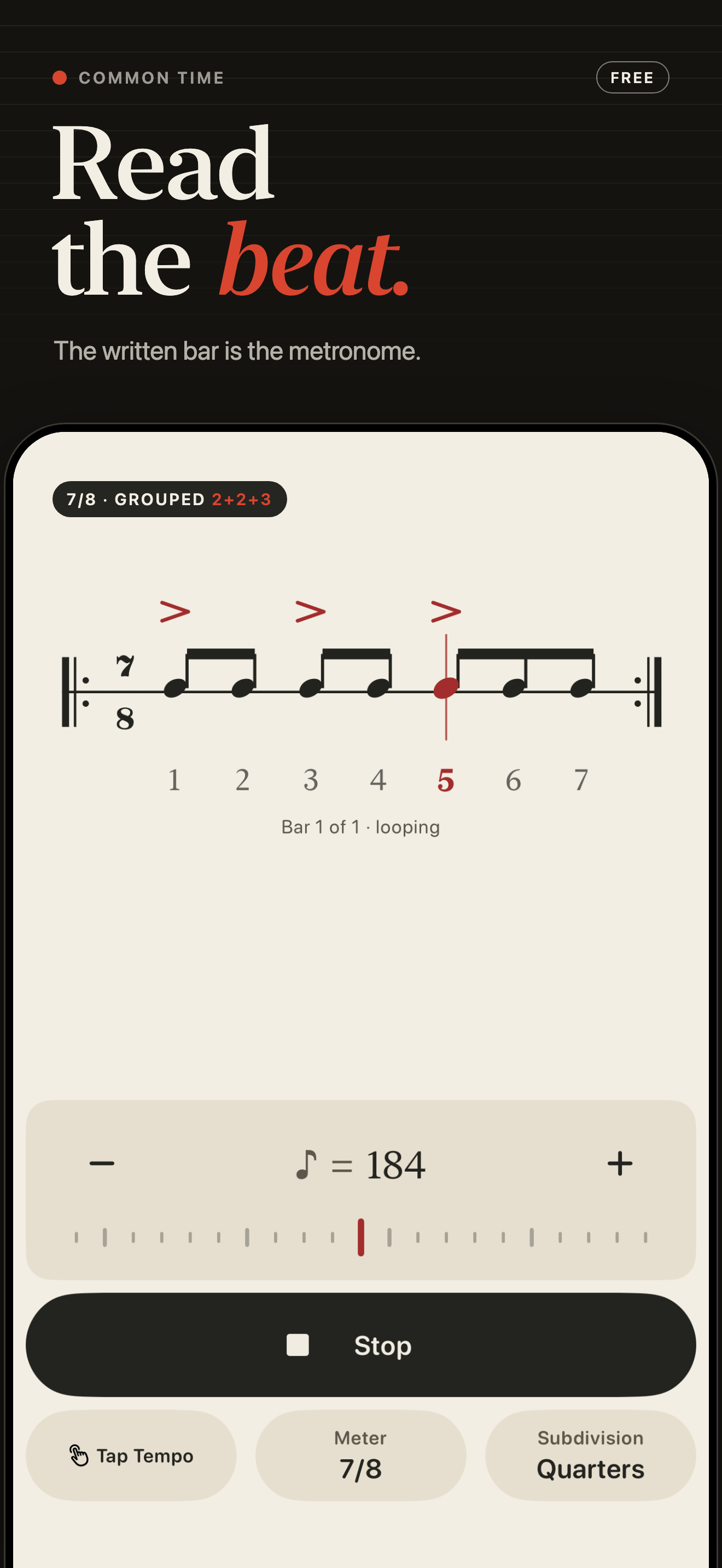
Follow the current beat in the notation. Set 20–300 BPM with the tempo ruler, plus and minus controls, or Tap Tempo.
A metronome you can read
The written bar is your metronome. See each beat, hear the grouping, and keep your place in the music—from a steady pulse to an irregular phrase.
Available now for iPhone and iPad · iOS 18 or later
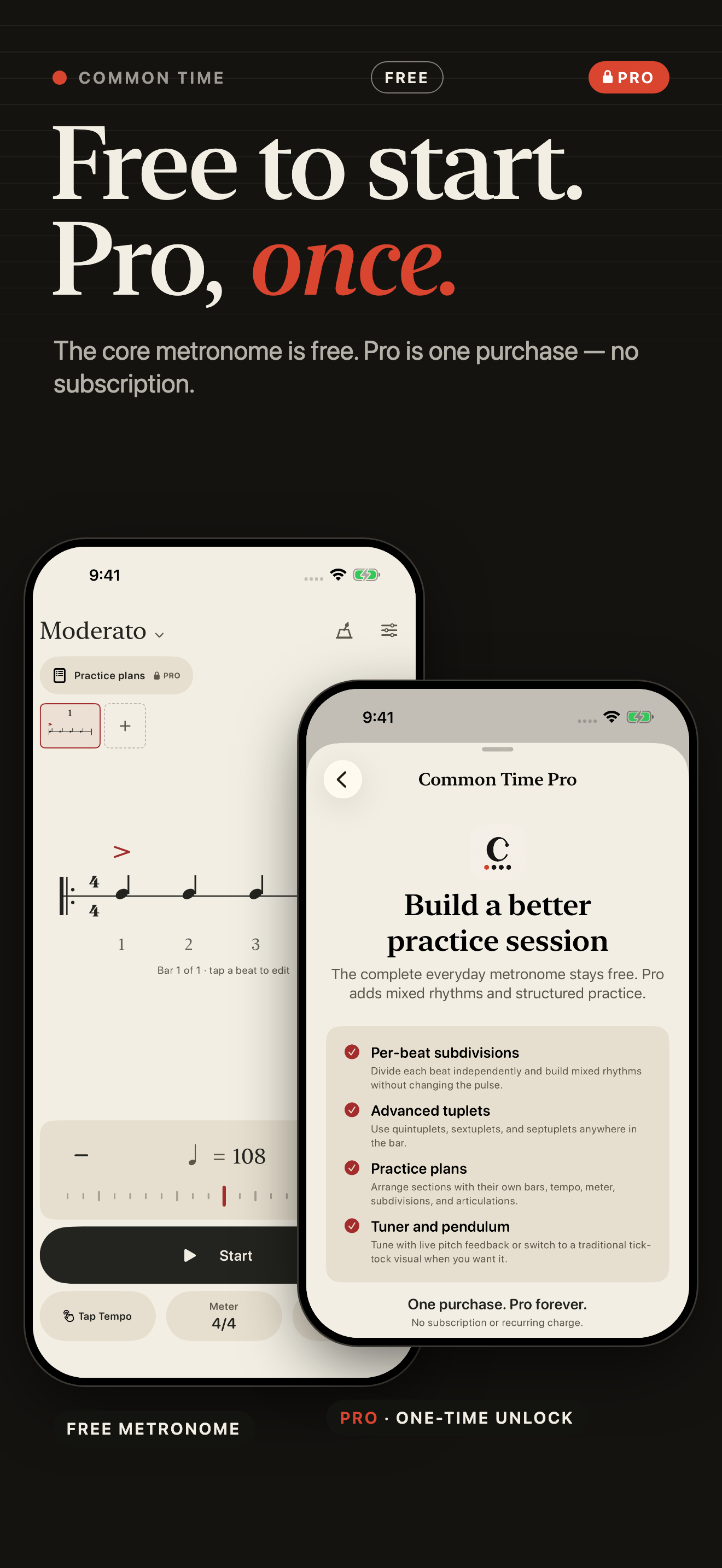
Free metronome. Optional Pro unlock, one purchase.
The free metronome
A readable bar, a clear pulse, and quick controls for everyday practice. Start with familiar meters or give an odd meter the grouping it needs.
Follow the current beat in the notation. Set 20–300 BPM with the tempo ruler, plus and minus controls, or Tap Tempo.
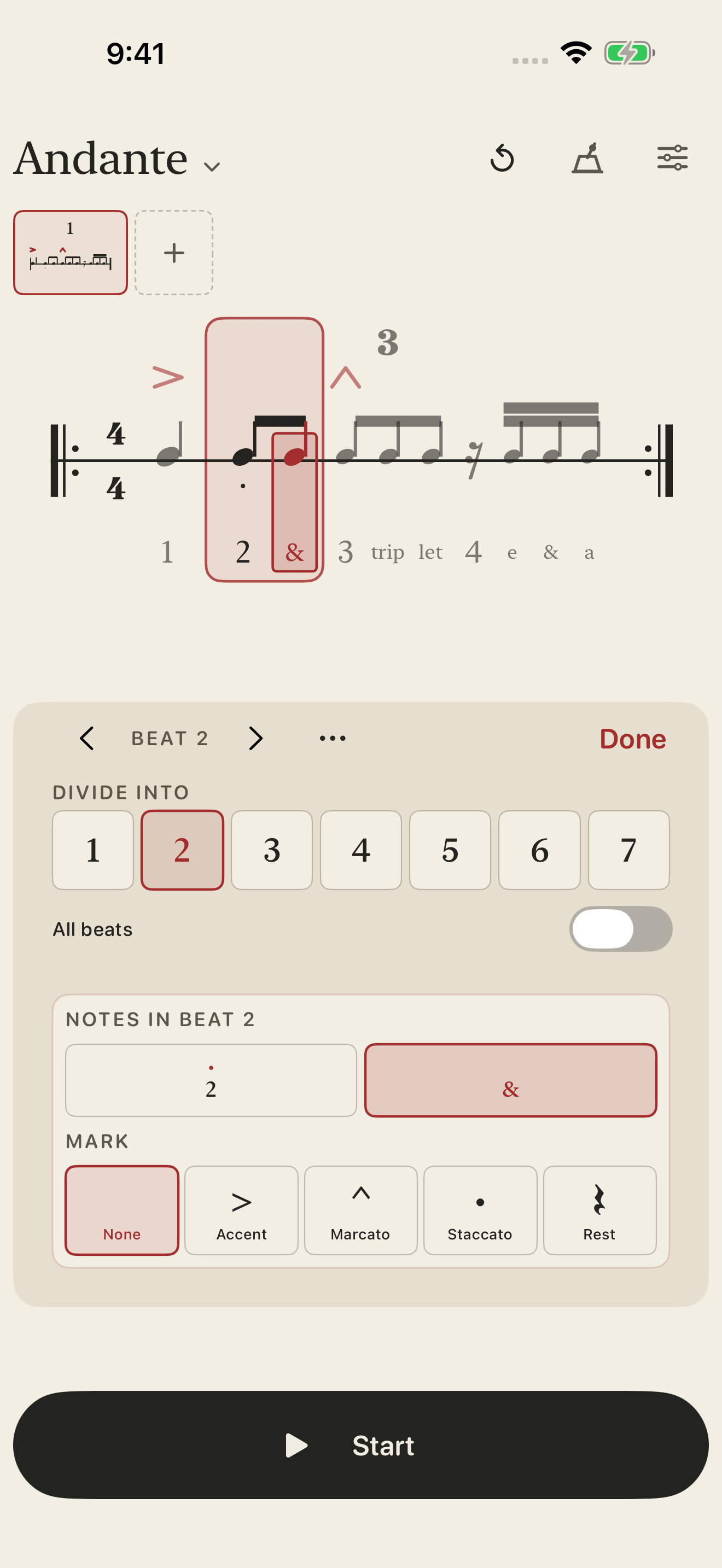
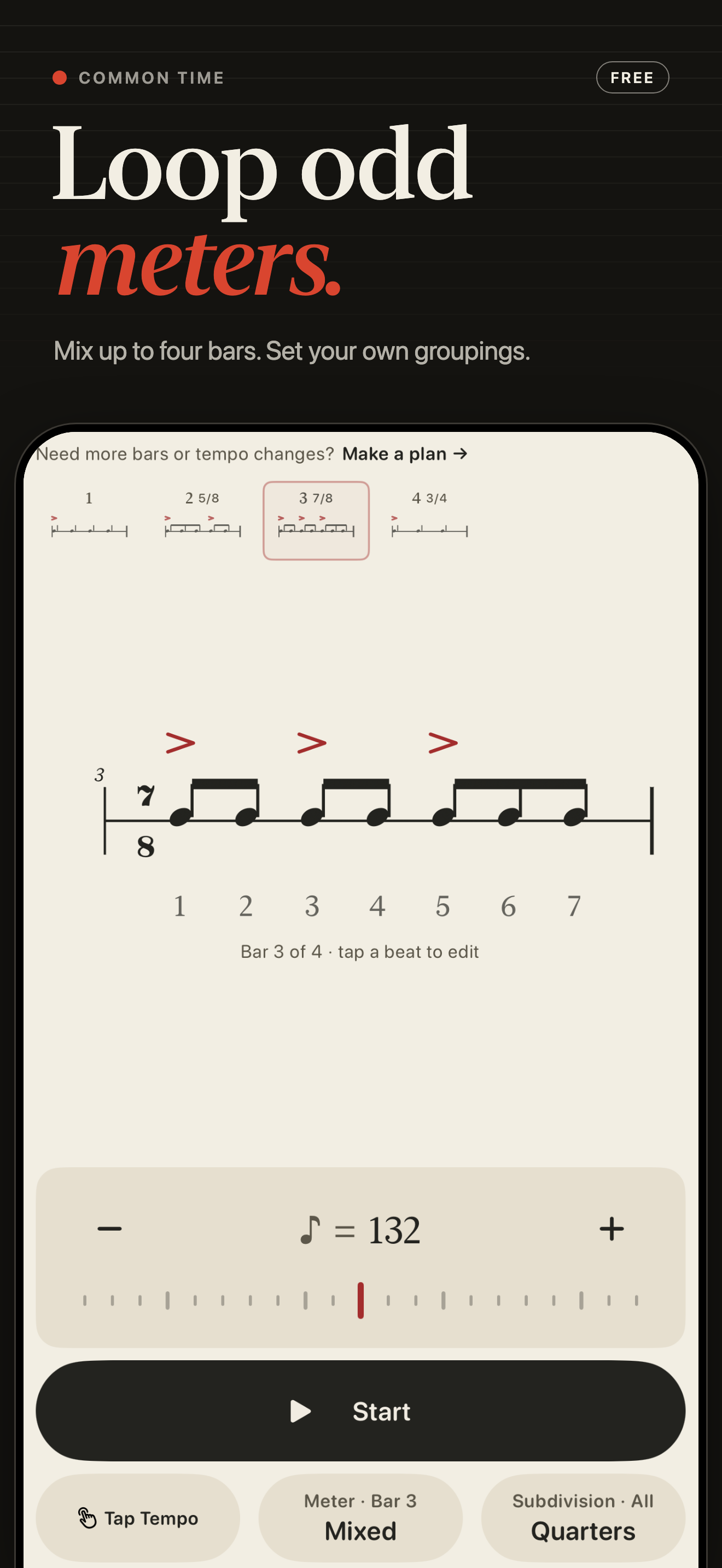
Use common or custom meters with explicit groupings such as 2+2+3. Combine up to four bars, including different meters, into a repeating phrase.
Choose compatible subdivisions, adjust accents and click balance, and add a one-bar count-in. Supported background audio keeps the click going.
Common Time Pro
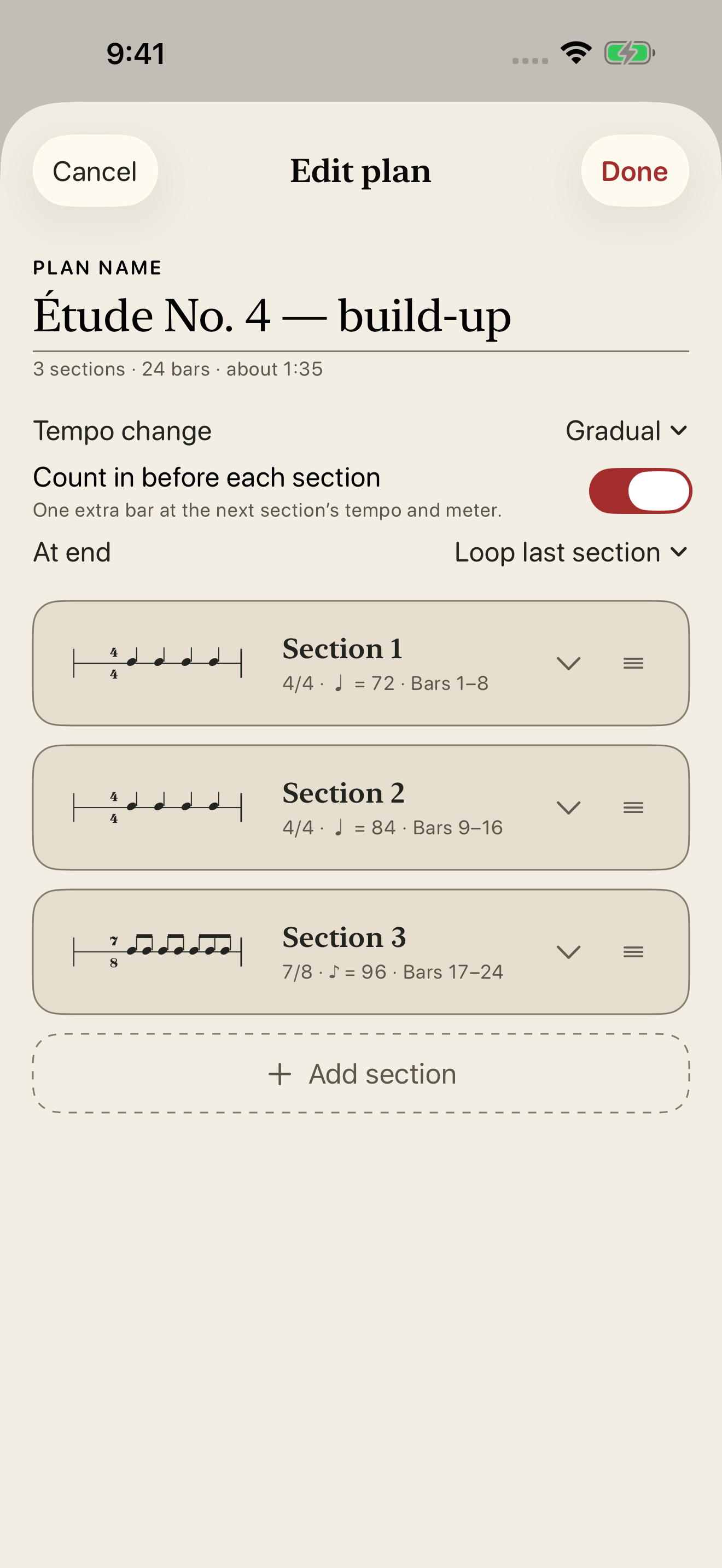
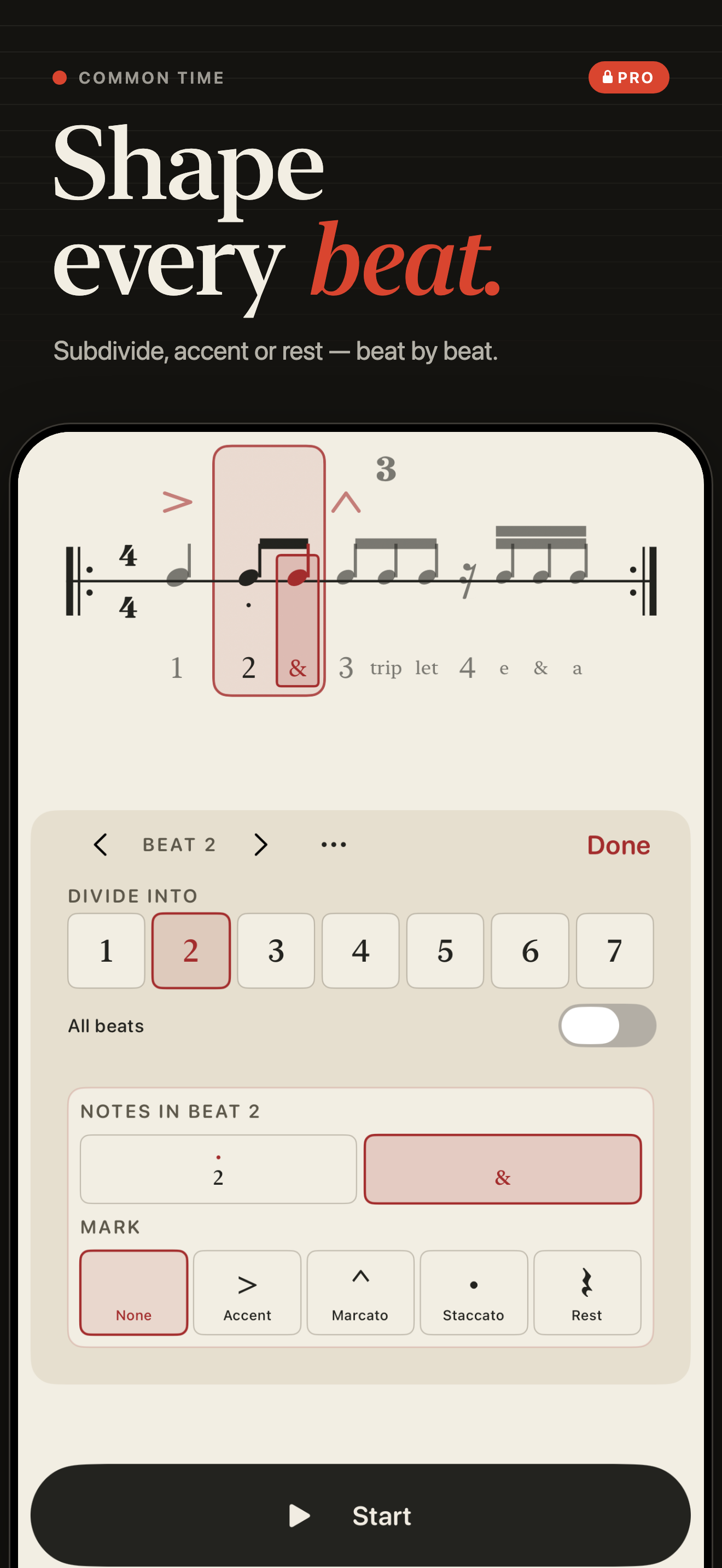
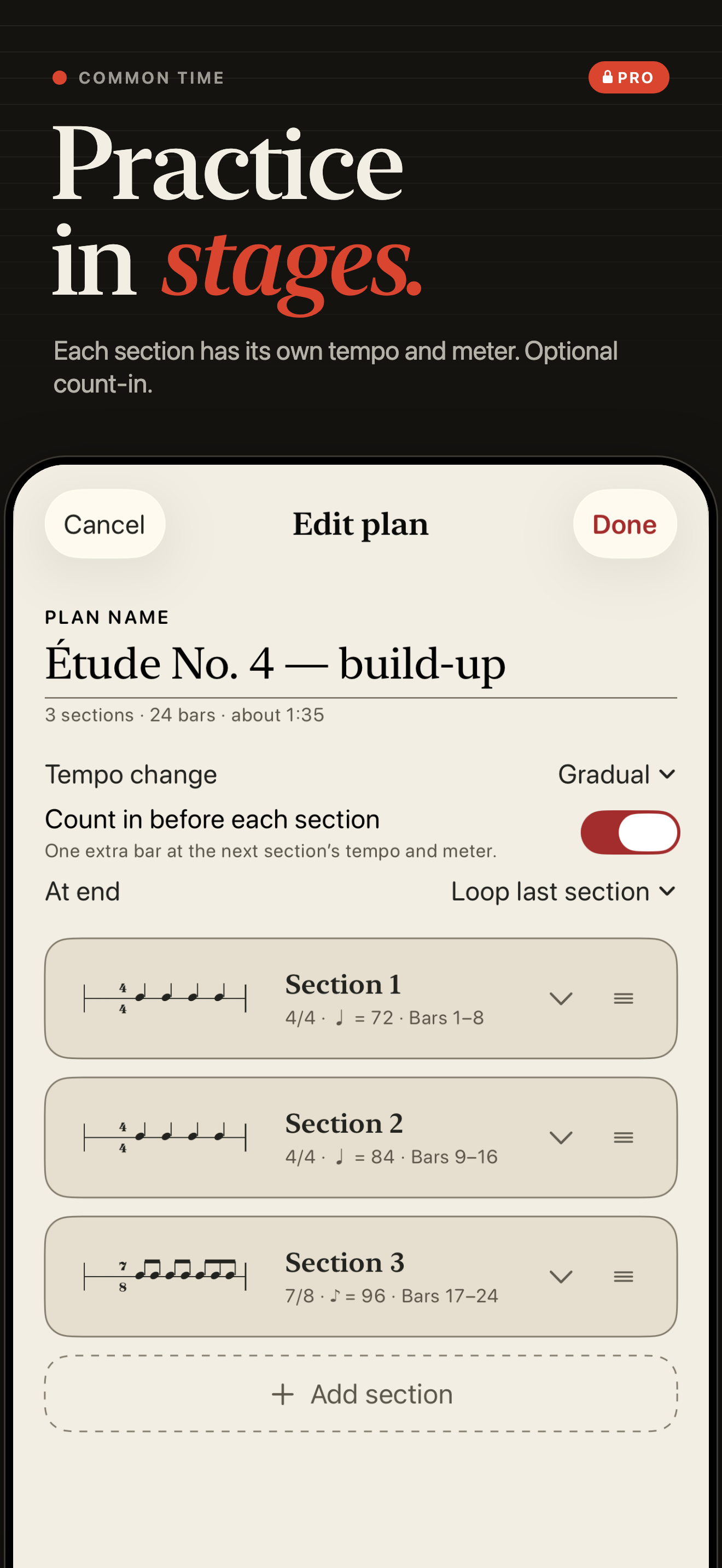
Build mixed rhythms and structured practice sessions when a repeating pulse is only the beginning.
Pro is a one-time in-app purchase. Current pricing and Restore Purchases are available in the app.
Pro musician tools
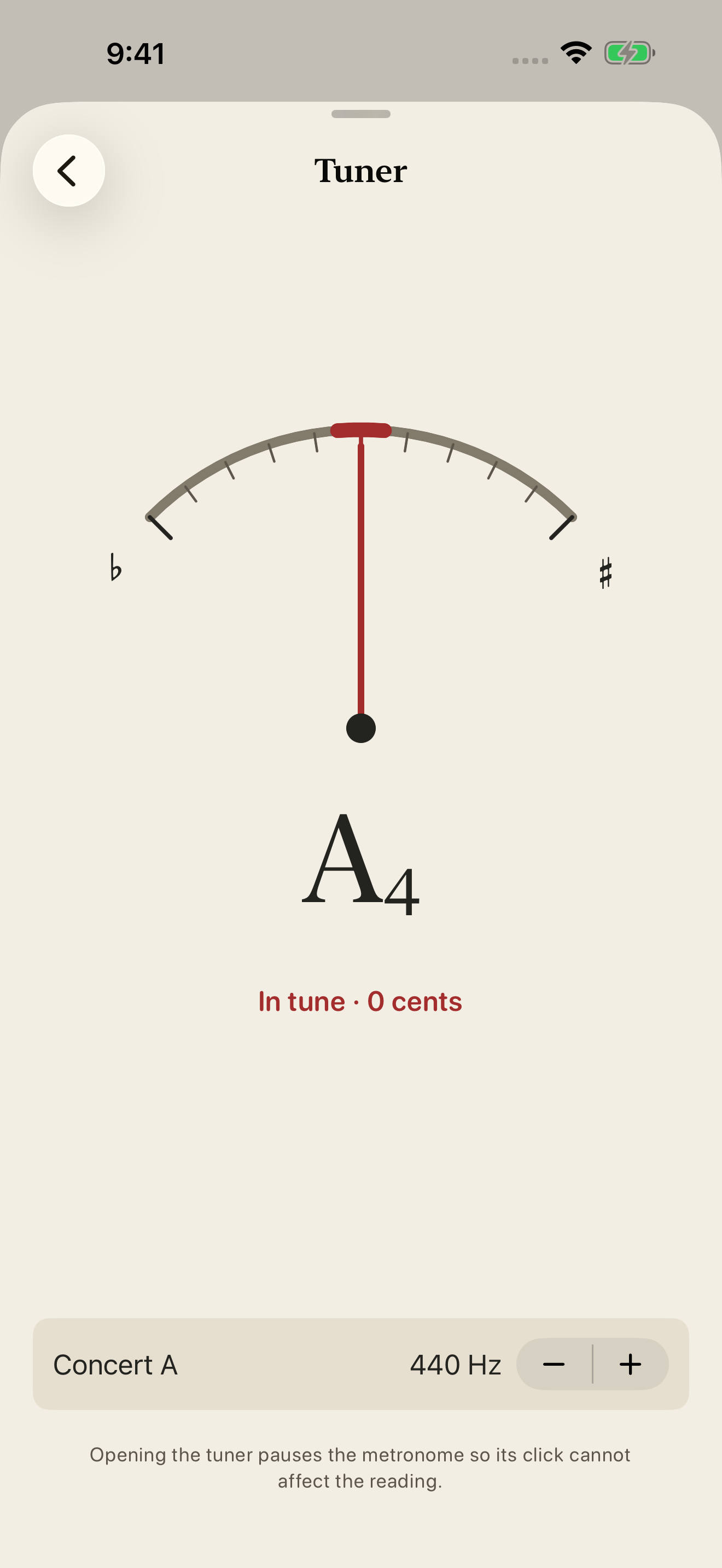
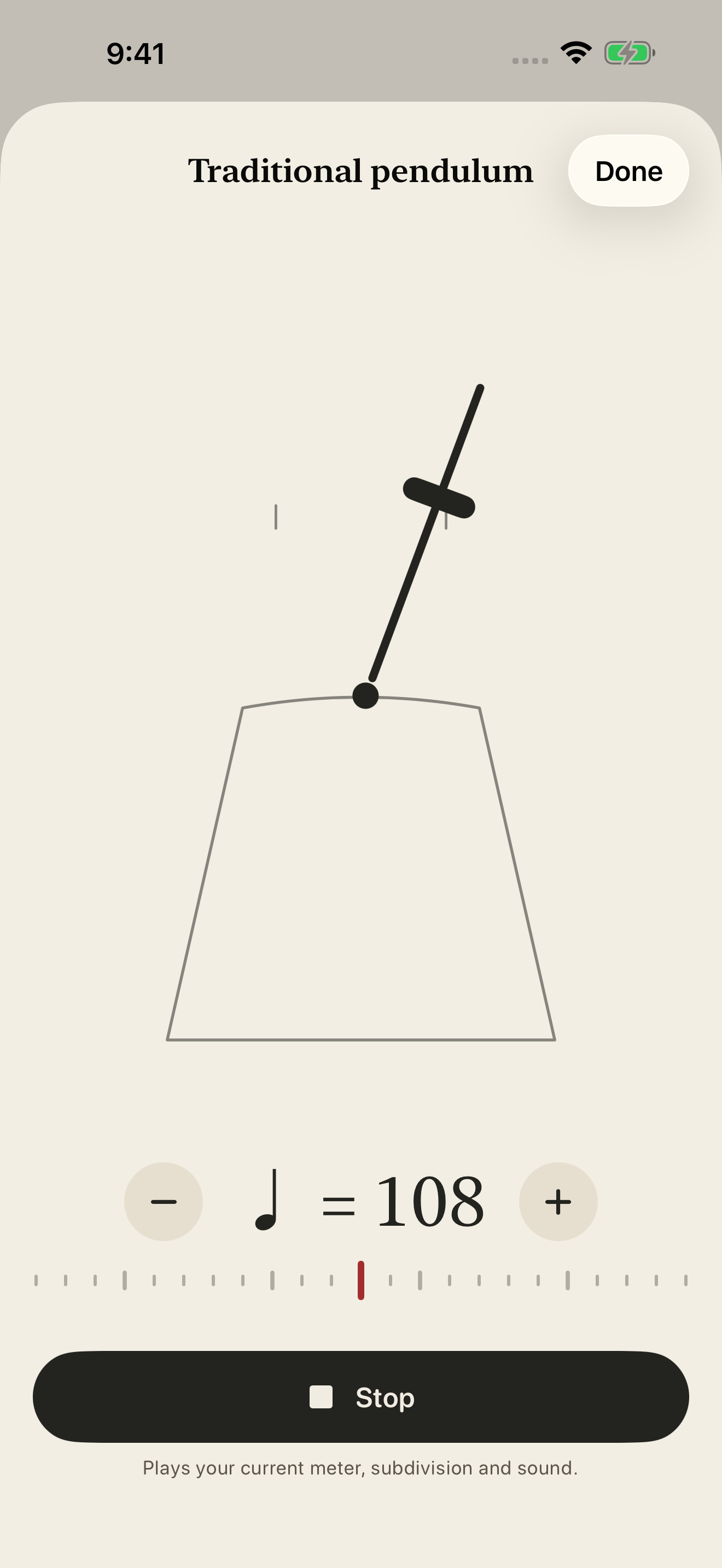
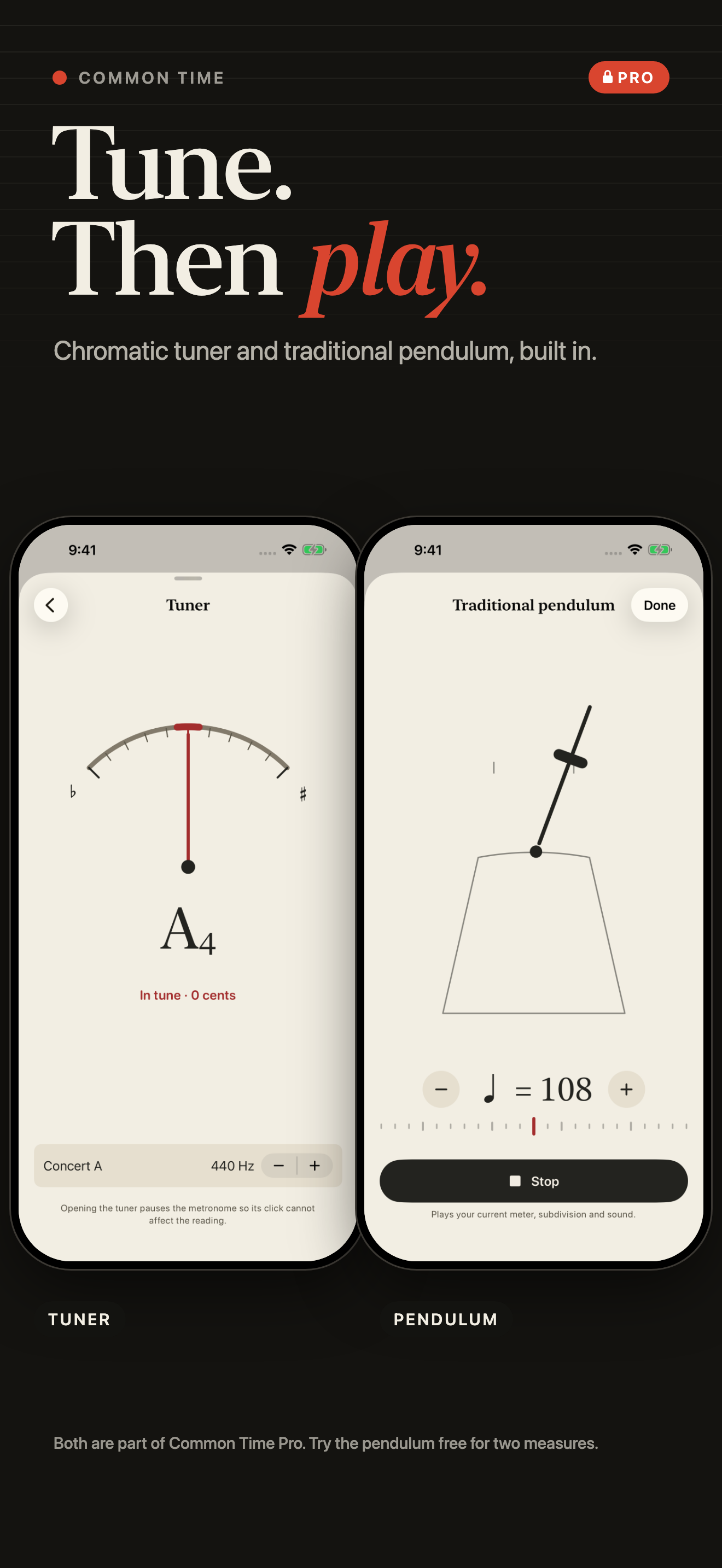
Check your pitch with the chromatic tuner, or switch to a traditional pendulum that follows your current tempo, meter, subdivision, and sound.
The tuner shows live pitch feedback and an adjustable concert A reference. Opening it pauses the metronome. Microphone access is needed for tuning.
The pendulum and main screen share tempo controls. Both tools are part of Pro; the free app includes a two-measure pendulum preview.
Inside Common Time
A closer look at the free metronome, Pro rhythm editing, practice plans, and musician tools.
Ready when you are
Start with the free metronome on iPhone or iPad. Unlock Pro when you want deeper rhythm editing and practice tools.
Download on the App Store ↗Help when you need it